
Download MySQL Workbench – MySQL database tool, database design, SQL editor, ERD, schema modeling, database management, database migration, SQL query tool, database modeling software
Overview
MySQL Workbench is a comprehensive database design and management tool tailored for developers and database administrators working with MySQL databases. It serves as a unified environment for creating, visualizing, and maintaining database schemas, offering powerful capabilities for both new database development and the documentation of existing systems. The application enables users to design entity-relationship diagrams (ERDs), model complex database structures, and generate SQL scripts to implement those designs. This makes it particularly valuable for teams involved in database migrations, system integrations, or long-term schema maintenance.
Designed for professionals who require precision and clarity in database architecture, MySQL Workbench supports a wide range of use cases—from planning a new application’s data layer to reverse-engineering legacy databases. Its ability to synchronize changes between the visual model and the actual database ensures consistency and reduces the risk of configuration drift. This is especially useful in collaborative development environments where multiple engineers may be modifying the same schema.
Developed by Oracle Corporation, a well-established name in enterprise software, MySQL Workbench benefits from a strong foundation in database technology. The tool is free to download and use, making it accessible to students, open-source contributors, and professional teams alike. Although the developer did not provide additional technical details about internal architecture or performance benchmarks, its widespread adoption across development communities speaks to its reliability and utility.
Key Features & Functionality
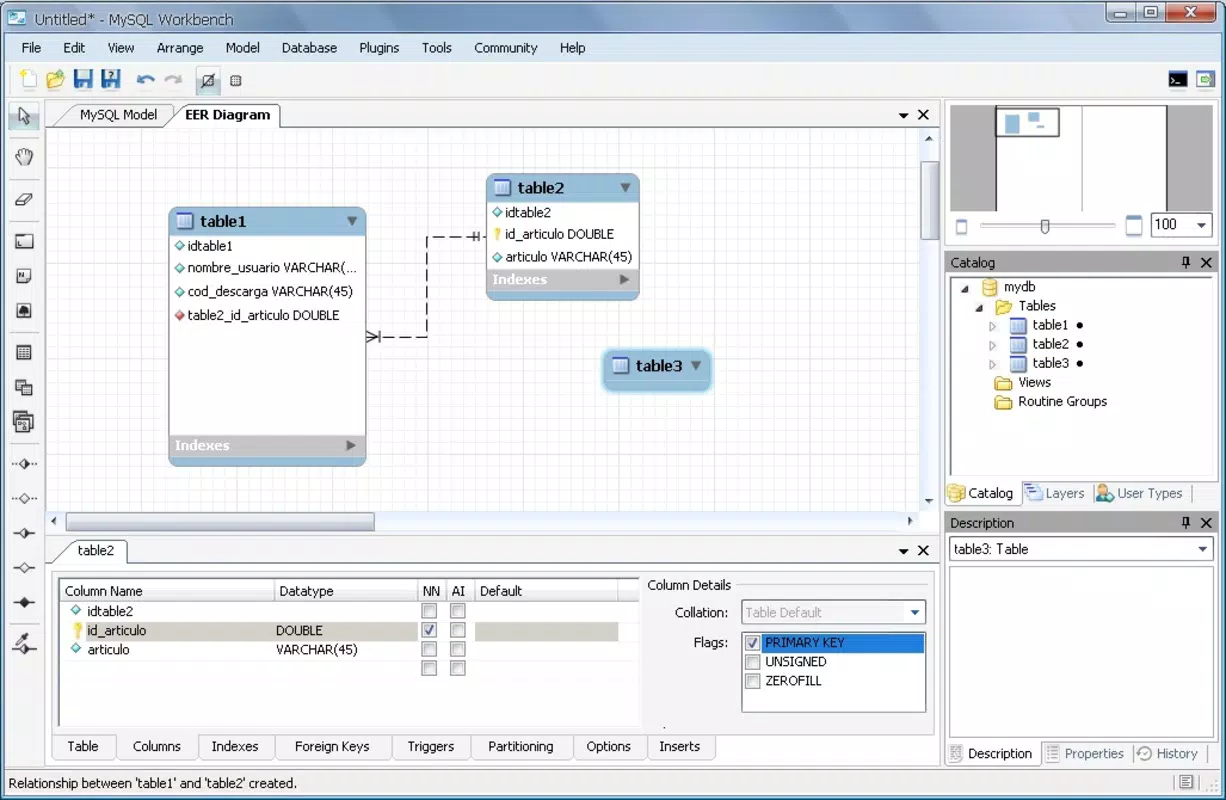
- Entity-Relationship Diagram (ERD) Creation: Users can visually design database schemas using drag-and-drop tools, representing tables, relationships, constraints, and indexes. This feature is essential for planning database layouts before implementation.
- Reverse Engineering: The tool can analyze an existing MySQL database and automatically generate a corresponding ERD, helping developers understand complex legacy systems without manual documentation.
- Forward Engineering: Changes made in the visual model can be applied directly to a live database, generating and executing the necessary SQL scripts to update the schema.
- SQL Editor with Syntax Highlighting: A built-in SQL editor supports writing, testing, and executing queries with real-time feedback, improving productivity during development and debugging.
- Database Migration Support: MySQL Workbench facilitates the migration of databases from other systems or older versions of MySQL, ensuring compatibility with modern MySQL 5 features.
- Compatibility with DBDesigner 4 Models: It supports importing and converting models created in the legacy DBDesigner 4 tool, enabling seamless transition for users upgrading their workflow.
For example, a developer designing a new e-commerce platform can use the ERD feature to map out customer, order, and product tables with proper foreign key relationships. Once finalized, the forward engineering function generates the exact SQL needed to create the database. Similarly, a database administrator tasked with modernizing an old system can reverse-engineer the current schema, document it visually, and then refactor it using the tool’s modeling capabilities.
Interface, UX & Performance
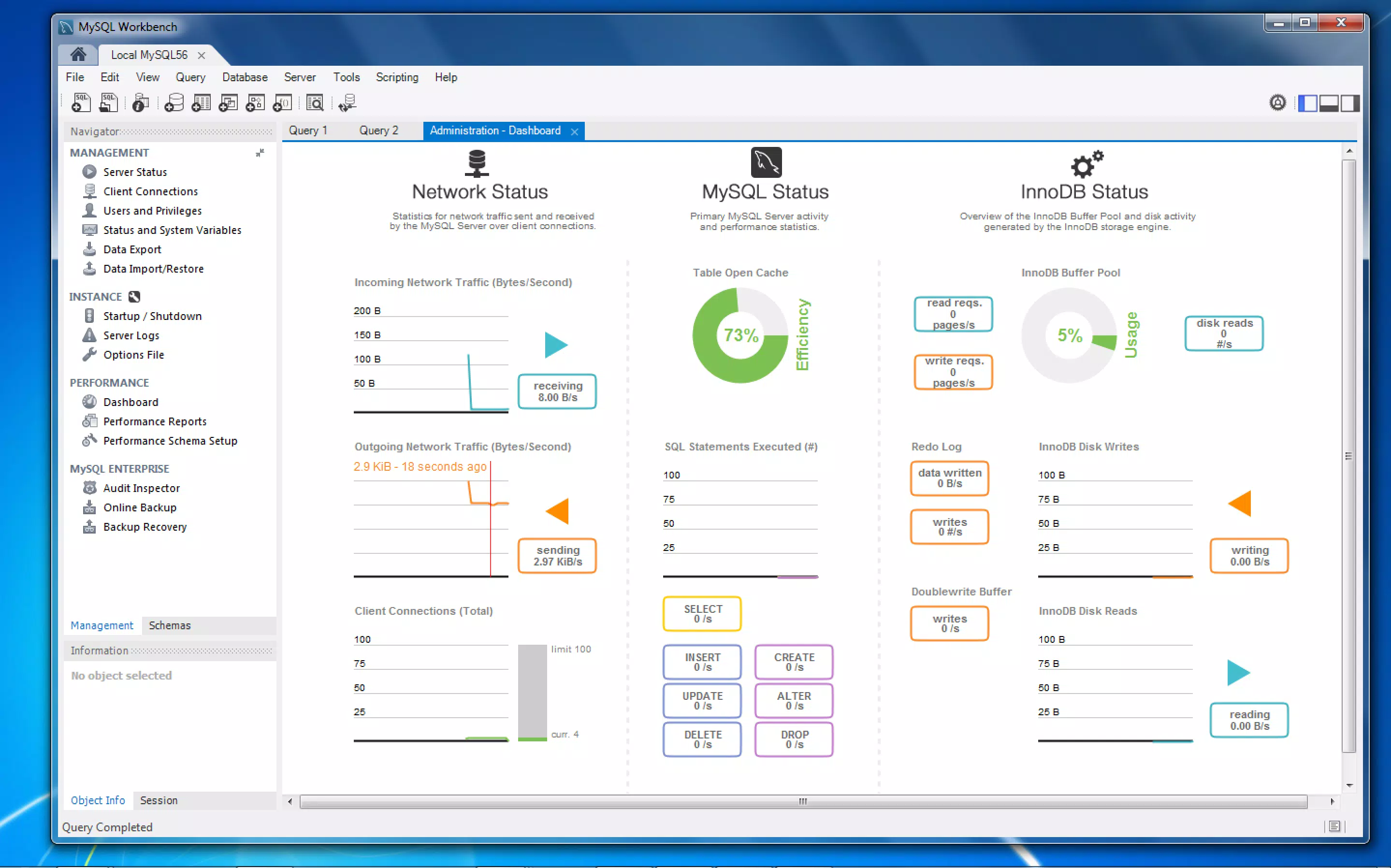
MySQL Workbench features a desktop-oriented interface with a clean, modular layout that organizes functionality into distinct tabs and panels. The main workspace includes a visual diagram area, a model explorer, and a SQL editor, all arranged for efficient multitasking. Navigation is consistent across views, allowing users to switch between schema modeling, query execution, and server management with minimal context switching.
The visual design emphasizes functionality over aesthetics, prioritizing clarity and information density. While the interface may appear complex to first-time users, its structure is logical and well-suited for experienced database professionals. The tool supports keyboard shortcuts and customizable layouts, enhancing workflow efficiency for power users.
Although the developer did not list formal performance metrics, the application runs smoothly on modern desktop systems. Performance may vary depending on the size and complexity of the database model, but users generally report stable operation during typical tasks such as diagram rendering, query execution, and schema synchronization. Responsiveness is maintained across different device categories, including high-resolution displays and multi-monitor setups.
Platform Compatibility & Technical Requirements
MySQL Workbench is available on Windows, macOS, and Linux operating systems, making it accessible to a broad range of developers regardless of their preferred platform. The current version is 8.0.34, with a file size of 172 MB, which is relatively lightweight for a full-featured database tool.
The developer did not specify minimum OS requirements or hardware recommendations. However, given its desktop application nature and resource usage patterns, it is expected to function on systems meeting standard modern development environment criteria. Compatibility information was not fully disclosed, so users should verify system readiness before installation.
Pros and Cons
Pros
- Free to download and use, with no licensing restrictions.
- Powerful visual modeling with support for ERDs and schema design.
- Supports both forward and reverse engineering of database schemas.
- Integrated SQL editor with syntax highlighting and query execution.
- Compatible with DBDesigner 4 models and MySQL 5 features.
- Facilitates database migration and version control workflows.
Cons
- Designed primarily for desktop environments; no mobile version available.
- Interface may be overwhelming for beginners unfamiliar with database concepts.
- Performance can degrade with very large or complex database models.
- Developer did not provide detailed system requirements or optimization guidelines.
- Limited support for non-MySQL database systems.
FAQ
Is MySQL Workbench available for mobile devices?
MySQL Workbench is currently designed for desktop platforms only and is not available as a mobile app for Android or iOS.
Can I use MySQL Workbench for free?
Yes, MySQL Workbench is completely free to download, install, and use. There are no paid features or subscription tiers.
Does MySQL Workbench support the latest version of MySQL?
Yes, the tool supports MySQL 5 and later versions, including the latest features introduced in recent MySQL releases.
Is MySQL Workbench secure to download?
Yes, MySQL Workbench is officially distributed by Oracle Corporation, ensuring a secure and verified download source.
How often is MySQL Workbench updated?
Updates are released periodically by Oracle to address bugs, improve stability, and add new features. The latest version is 8.0.34, released on September 25, 2023.
Final Thoughts + CTA
MySQL Workbench stands out as a robust, free, and professional-grade tool for anyone involved in MySQL database development and administration. Its ability to combine visual modeling, SQL scripting, and schema synchronization into a single interface makes it an indispensable asset for both individual developers and enterprise teams. While it lacks mobile support and may present a learning curve for newcomers, its depth and reliability justify its place in any serious database workflow.
Whether you're designing a new database from scratch, documenting an existing system, or managing complex migrations, MySQL Workbench delivers the tools needed to work efficiently and accurately. For students, educators, and IT professionals alike, it offers a powerful entry point into database design and management.
Download MySQL Workbench now


